Review Comments (0) Screenshots (7) Questions & Answers (0) Votes (1) Awards (4) Wiki  
(1)
Cucusoft, Inc.
8.09
www.cucusoft.com
Shareware
$39.95  Purchase
105 people
Download Cucusoft Ultimate...

7.7 MBDownloaded 263 times

This software was checked for viruses Last month and was found to contain no viruses.
Click here to see antivirus report.
 
Video tutorial for Cucusoft Ultimate Video Converter 8.0
Frame
Video tutorial for Cucusoft Ultimate Video Converter 7.1
Frame
This video tutorial has been acquired from Downloadtube.com

Review

This is official description

The Cucusoft Video Converter Ultimate converts videos to play on almost any portable device.The Cucusoft Video Converter Ultimate is a powerful all-in-one video file converter and very easy to use.It can also convert to almost any audio/video format, including video formats H264, MP4, WMV, AVI, MOV and much more
 
The following review written by one of the Software Informer contributors applies to version 7.1

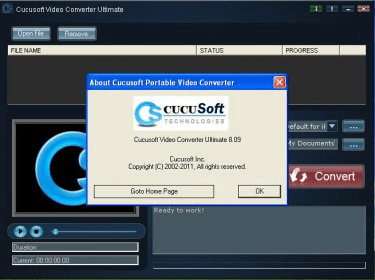
Cucusoft Ultimate Video Converter 7.12 is the latest released version of this shareware for Windows. It makes it possible to convert videos into all popular audio and video formats supported by portable devices or home players. Now, it is very easy to take around our favorite video and music in our iPhone, iPod, MP4, etc. The output audio and video formats available are: 3GPP, 3GPP2, AAC, AC3, Apple TV, ASF, AVI, DVD, FLV, H.264 Movie, iPhone, iPod, iPod Touch, iPod TV, iPod video nano, M4A, MOV, MP”, MP3, MP4, MPEG-1, MPEG-2, PDA, PPC, PSP, RA, RM, SVCD, SWF, VCD, VOB, WMA, WMV, Zune TV, and Zune Video. Cucusoft Ultimate Video Converter has simple a rather friendly user’s interface. From the Main Window, we can select any supported video from anywhere within our computer, including any driver, removable and portable device. We are allowed to preview it before converting it. Next, we just select the output format from the comprehensive list provided, the folder where we want to save the converted file and click over the Convert button. We can write the name of the output video, preview the video while the conversion takes place; view the conversion status and remaining time,.It runs very fast and smooth. We can download the evaluation version, which is available directly from the developer’s website, and try it free or charge. Trial version has one limitation and that is a watermark appearing in the middle of the converted video all the time. It runs under the following operating systems: Microsoft Windows Vista, XP, NT, 2003, 2000, 98, and 95.
  • Free Technical support.
  • Free updates forever.
  • Extremely simple to use.
  • None.

Reviewed by: Maria José Carrasco Zamora

Reviewer rating:

Reviewed: 2 years ago

Report a wrong version Report a wrong program title Suggest a correction

Screenshots

Main window Main window Cucusoft Ultimate Video Converter - Main Window Cucusoft Ultimate Video... Cucosoft Ultimate Video Converter - Audio and Video Output Settings Cucosoft Ultimate Video... Cucusoft Ultimate Video Converter - Conversion Status Cucusoft Ultimate Video...
All 7 screenshots

Latest comments


There are no comments, be the first one!
Add new comment

E-mail Address:

Password:

Register now »

Forgot password?

Sign in with:
Download Software Informer Client
Copyright © 2012, Informer Technologies, Inc. About| Privacy and terms| Help| Feedback & Support| Partners program